RDP to another computer
sudo apt update
sudo apt install -y xrdp
sudo systemctl enable --now xrdp
sudo ufw allow 3389
sudo systemctl enable xrdp.service
sudo systemctl start xrdp.service
if LXQT
echo "startlxqt" | tee -a ~/.xsession
echo "startlxqt" | sudo tee -a /root/.xsession
fix color bug
sudo nano /usr/share/polkit-1/actions/org.freedesktop.color.policy
<allow_inactive>no</allow_inactive>
<allow_inactive>yes</allow_inactive>

<allow_any>auth_admin</allow_any>
<allow_any>yes</allow_any>
sudo sed -i "s|<allow_any>auth_admin</allow_any>|<allow_any>yes</allow_any>|" /usr/share/polkit-1/actions/org.freedesktop.color.policy
sudo sed -i "s|<allow_inactive>no</allow_inactive>|<allow_inactive>yes</allow_inactive>|" /usr/share/polkit-1/actions/org.freedesktop.color.policy
better fix
not tested
cat << EOF | sudo tee /etc/polkit-1/localauthority.conf.d/02-allow-colord.conf
polkit.addRule(function(action, subject) {
 if ((action.id == "org.freedesktop.color-manager.create-device" ||
 action.id == "org.freedesktop.color-manager.create-profile" ||
 action.id == "org.freedesktop.color-manager.delete-device" ||
 action.id == "org.freedesktop.color-manager.delete-profile" ||
 action.id == "org.freedesktop.color-manager.modify-device" ||
 action.id == "org.freedesktop.color-manager.modify-profile") &&
 subject.isInGroup("{users}")) {
 return polkit.Result.YES;
 }
 });
EOF
for ubuntu
didn't seem to work
cat << EOF | sudo tee /etc/polkit-1/localauthority.conf.d/99-allow-colord.pkla
[Allow Colord all Users]
Identity=unix-user:*
Action=org.freedesktop.color-manager.create-device;org.freedesktop.color-manager.create-profile;org.freedesktop.color-manager.delete-device;org.freedesktop.color-manager.delete-profile;org.freedesktop.color-manager.modify-device;org.freedesktop.color-manager.modify-profile
ResultAny=no
ResultInactive=no
ResultActive=yes
EOF
steps
-
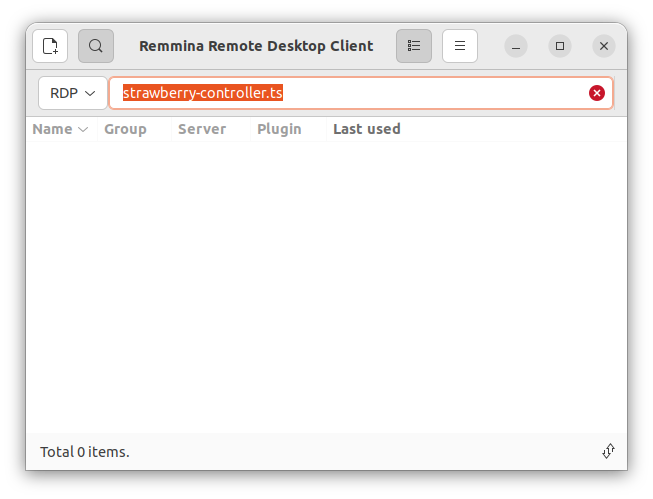
open remmina
-
enter the remote server name
-
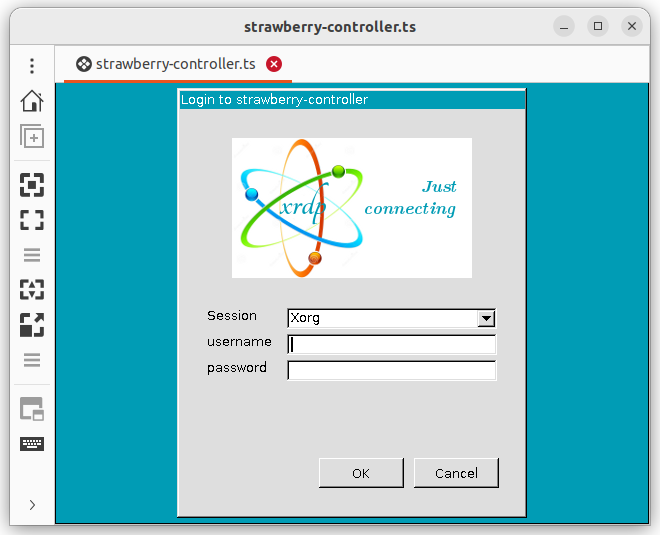
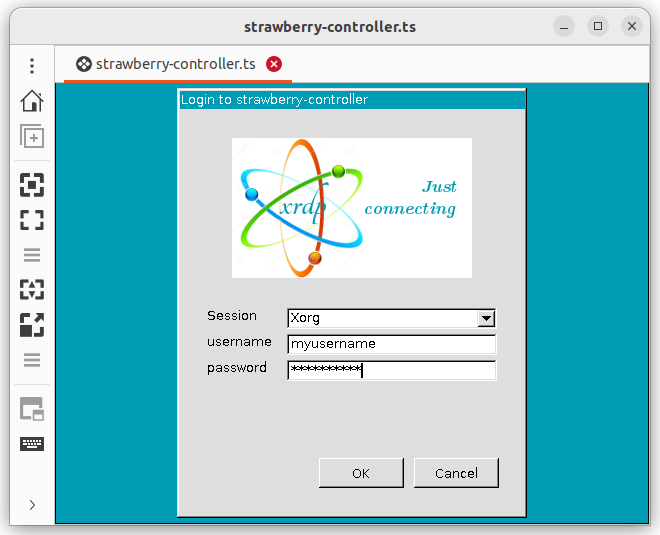
Select the default Xorg
-
Select "Dynamic Resolution Update" icon from the left panel.