Building a Project Portfolio
Documenting your project is an essential part of the design process. This tutorial helps you set up a github repository for managing your documentation in a way that is public, free, and easy to manage.
Introduction
The purpose of this session is to familiarize you with the basic steps of setting up a documentation website.
Why is it important to document your work?
- Building a portfolio of design work. If you'd like to ever get a job in product design, it's important to be able to show what you've done.
- Documenting your decision making. Explaining how and why you got to the end of your design starts by documenting your process.
- sharing your work with others. If you want others to follow in your path, it is important to have a centralized place to store all of your design files and parts lists and code.
- Demonstrate your knowledge of key tools, such as git, Python, CAD design, and E-CAD.
- Can you think of other reasons why creating a website is important for you?
We will set up a website on GitHub, which offers free hosting as well as support for Markdown, which is a common approach for quickly writing up documentation.
We will also be using zensical, a Python package that creates nicely formatted and standardized documentation sites.
Overview
- Create an account on GitHub.
- Fork my template repository
- Update the repository configuration with your own data
- Add pages
- Continue populating and updating your pages throughout the rest of your project.
Call To Action
This tutorial is part of a bigger course called "Intelligent Product Design". To explore the course, get support from Dan, or explore this tutorial within the scope of a larger learning framework, please visit https://backpack.danaukes.com.
What is git vs. github?
Git is a program used for managing code across multiple users and computers. Github is a commercial website run by Microsoft that allows users to manage git repositories, along with a suite of tools that surround it.
Steps
- Create a new account on GitHub. If you don't have one already, it might be a smart idea to create a new account on GitHub. GitHub is one of the world's most popular sites for sharing code and documentation.
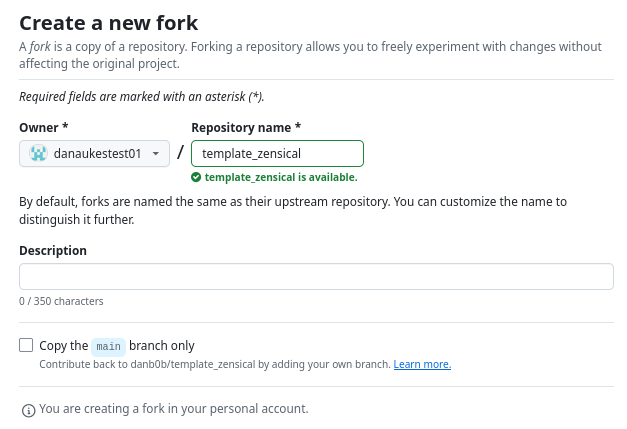
- Fork my template repository: https://github.com/danb0b/template_zensical/fork
-
Deselect the "copy the main branch only" option and continue.
-
In the newly forked repository, click on "settings"

-
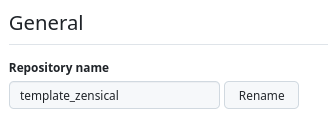
Right at the top under "General", select the repository name:
-
You need to rename this repository EXACTLY following this template:
<your-user-name>.github.iowhere
<your-user-name>is your github username. For example, if my github username isdanaukestest01, I would rename the repository:danaukestest01.github.io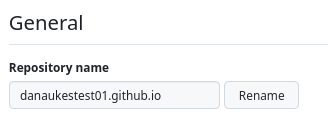
-
Select "Actions" from the top menu of your repository:

-
Acknowledge the use of actions
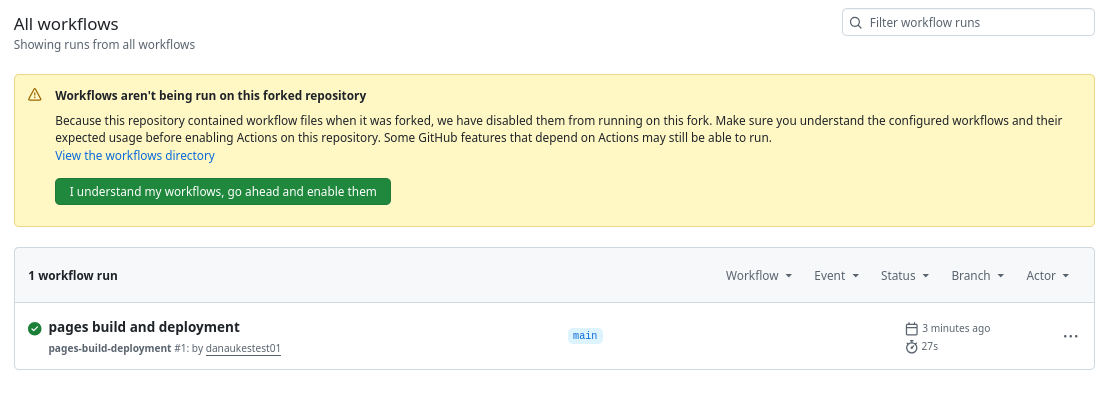
-
-
Navigate to the "code" tab at the top of the repository page and select
.github/workflows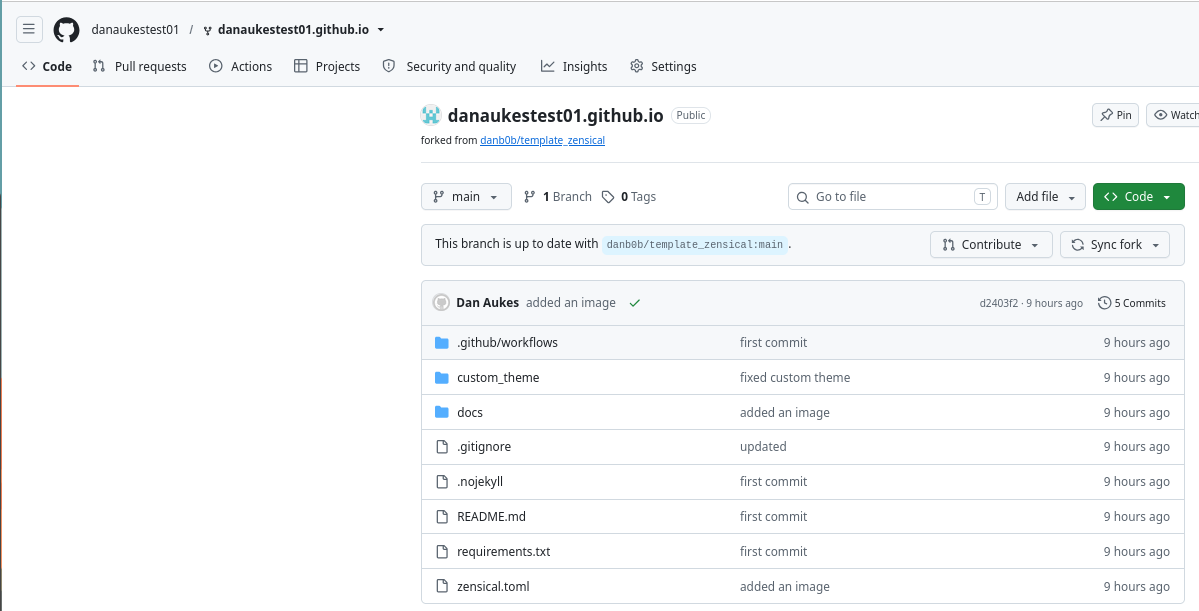
-
select
docs.yml, and when the page opens, click "edit this file" on the top right of the page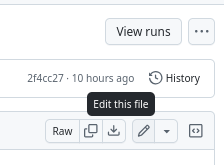
-
rename the file from
docs.ymltopages.yml
This has the effect of triggering a run of the newly-renamed action. You should be able to track the progress of this build action in the "actions" tab
-
Once the pages have been built, go back to settings and on the left-hand menu, and select "pages".
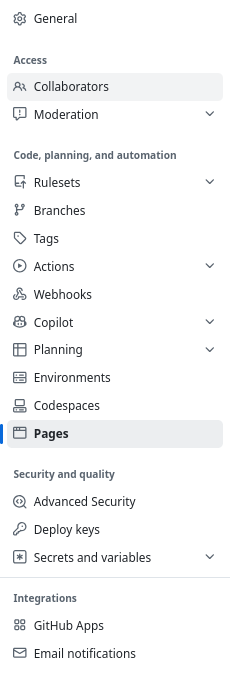
-
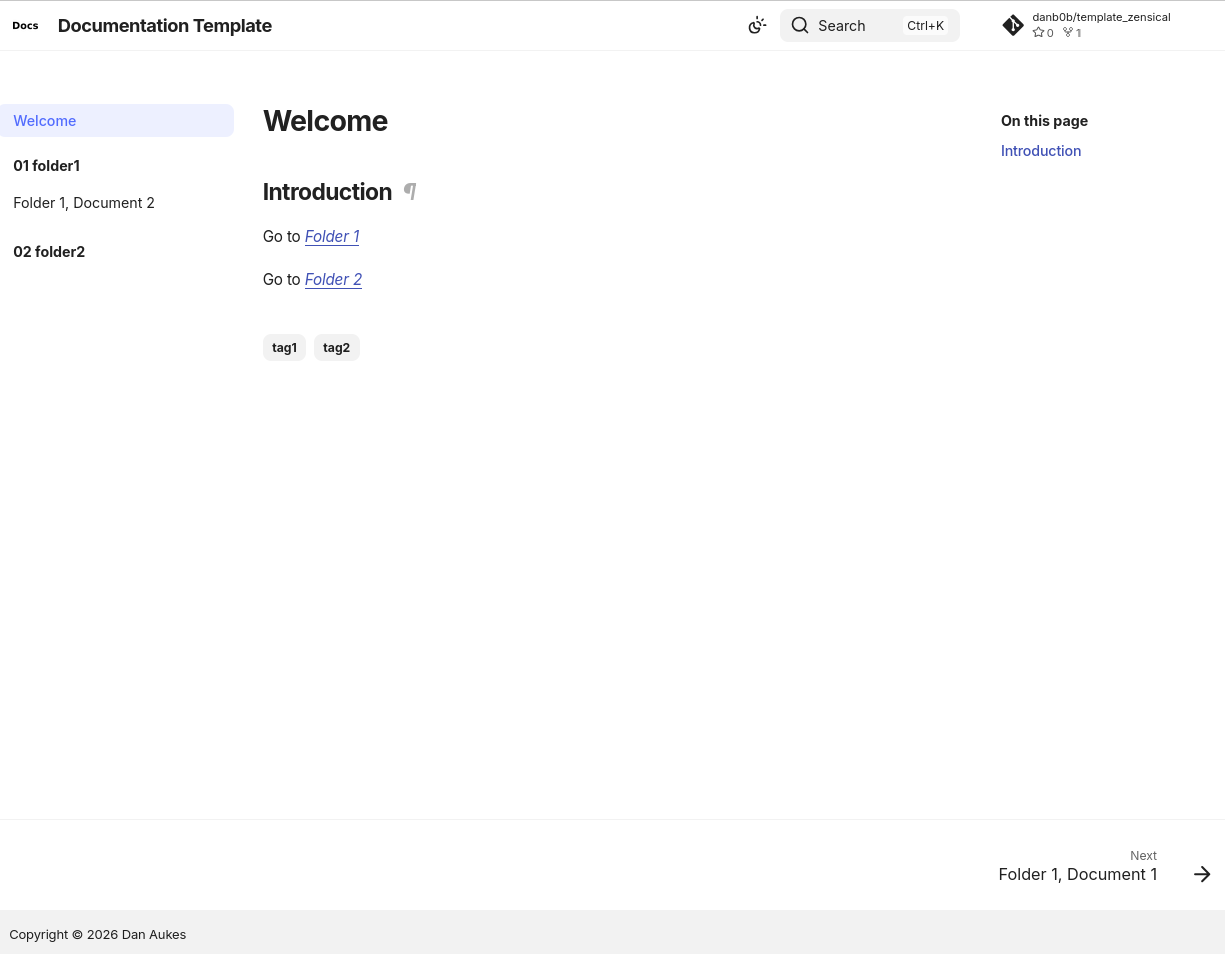
Your site should show up at the link listed.

-
Click on it to see how it renders:
Settings to Check
-
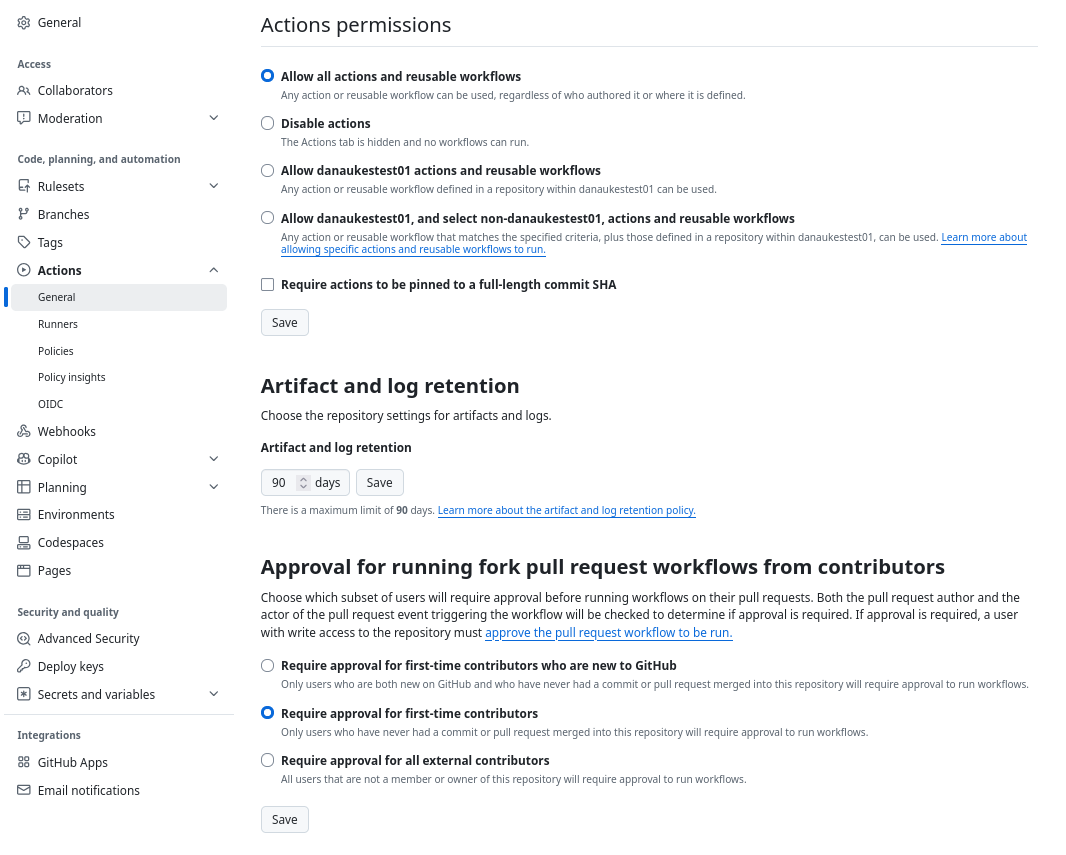
go to the repository's settings. Navigate to actions --> general.
-
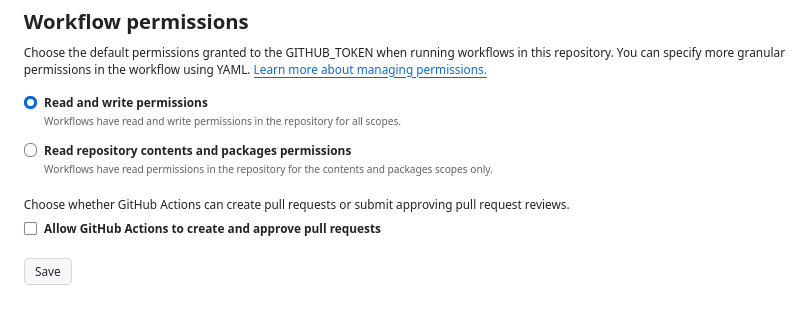
Ensure read/write access:
-
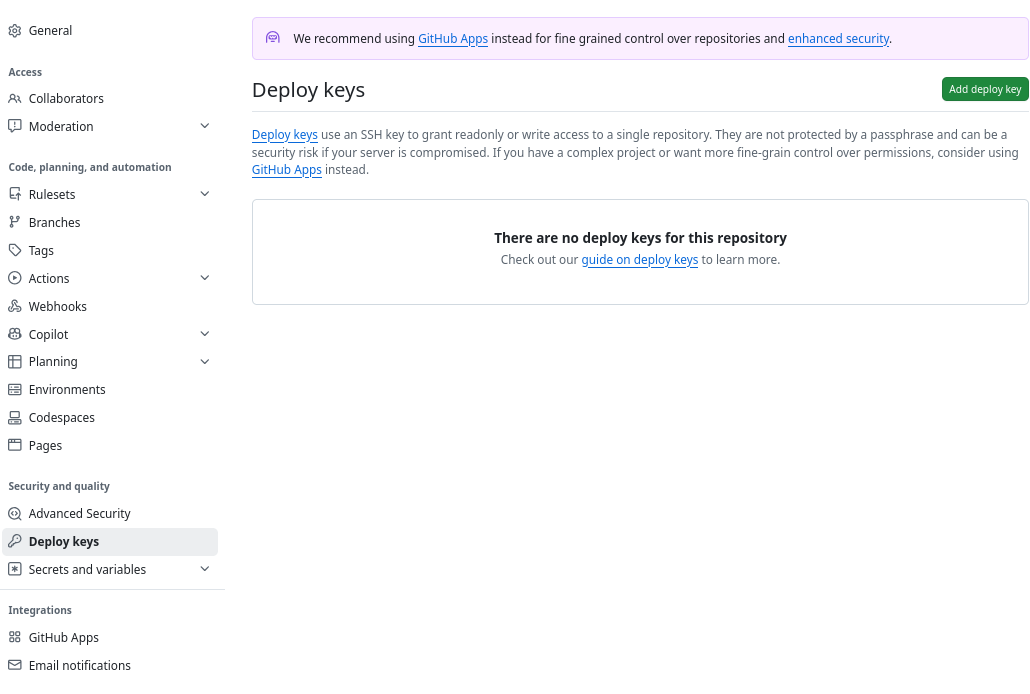
go to the repository's settings. Navigate to deploy keys. Ensure they are enabled: